





1 下载clash
sudo apt update

mkdir clash && cd clash

wget https://github.com/doreamon-design/clash/releases/download/v2.0.24/clash_2.0.24_linux_amd64.tar.gz

tar -zxvf clash_2.0.24_linux_amd64.tar.gz

chmod +x clash

# 运行该指令,会自动创建 ~/.config/ 目录和相关文件,执行后 Ctrl c 关闭
./clash

mkdir -p ~/.local/bin

cp clash ~/.local/bin/clash
2 放置配置文件
cd ~/.config/clash

# 我运行该指令,下载的文件是一堆字母,不可用,最后是直接从手机的clash上复制一份config.yaml过来的
curl -f "订阅链接" > config.yaml
3 创建service文件
cd /etc/systemd/system/
在该目录下创建文件 clash.service,文件内容如下:
# Copyright @TalentQ All Reserved.


[Unit]
Description=clash for linux

[Service]
Type=simple
User=talentq
# 这里修改成自己的绝对路径
ExecStart=/home/talentq/.local/bin/clash

[Install]
WantedBy=multi-user.target
4 设置开机自启动
# 重新加载systemd配置
sudo systemctl daemon-reload
# 设置开机自启动
sudo systemctl enable clash
# 此时重启电脑...
# 查看service状态
sudo systemctl status clash
5 Ubuntu设置
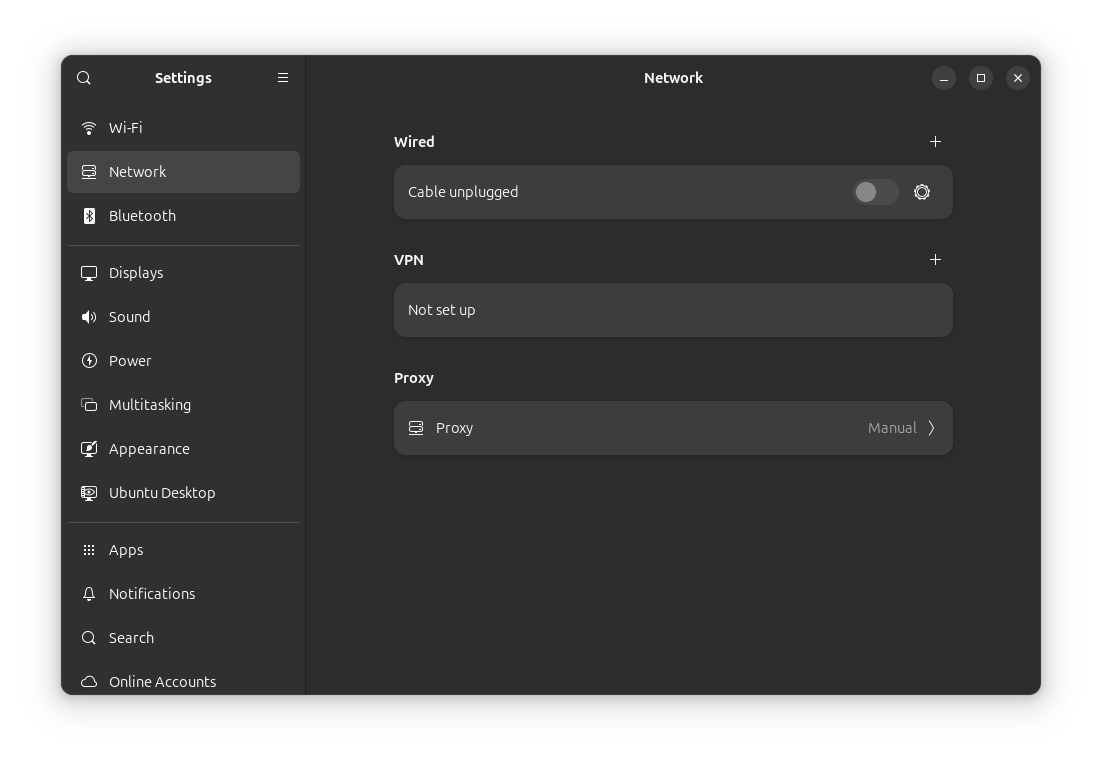
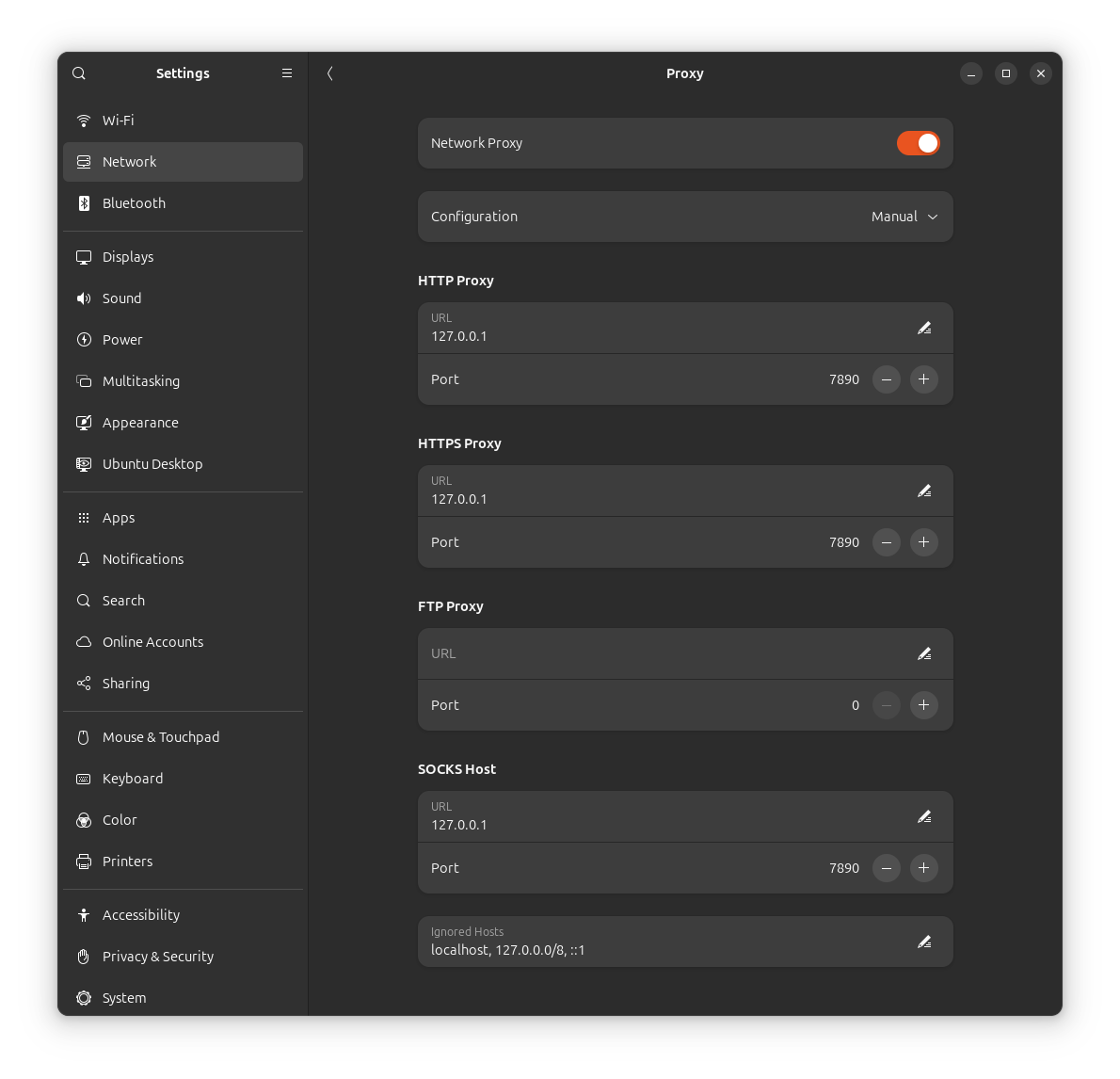
6 网页工具
具体使用参考:http://jemlab.cn/?p=141
7 命令行工具
proxy、unproxy、proxy_ip
将以下内容放置在 ~/.bashrc 里。
# add env path
export PATH=$HOME/.local/bin:$PATH

# >>> proxy >>>
terminal_proxy="off"

# clash.service's status
function get_clash_status() {
    echo $(systemctl status clash.service | grep Active | awk '{print $2,$3}')
}

# start proxy
function proxy() {
    export no_proxy=localhost,127.0.0.0/8,::1
    export http_proxy=http://127.0.0.1:7890/
    export https_proxy=$http_proxy
    export NO_PROXY=$no_proxy
    export HTTP_PROXY=$http_proxy
    export HTTPS_PROXY=$http_proxy
    export ALL_PROXY=socks://127.0.0.1:7890/
    export all_proxy=socks://127.0.0.1:7890/
    terminal_proxy="on"
    echo -e "Terminal   proxy: $terminal_proxy\n"
    # echo -e "clash.service: $(get_clash_status)\n"
}

# stop proxy
function unproxy() {
    unset no_proxy http_proxy https_proxy NO_PROXY HTTP_PROXY HTTPS_PROXY ALL_PROXY all_proxy
    terminal_proxy="off"
    echo -e "Terminal   proxy: $terminal_proxy\n"
    # echo -e "clash.service: $(get_clash_status)\n"
}

# show proxy status
function proxy_status() {
    echo -e "********** current terminal's proxy **********\n"
    echo -e "Terminal   proxy: $terminal_proxy"
    echo -e "clash.service: $(get_clash_status)\n"
    env | grep -E "proxy|PROXY" && echo ""
}

# show proxy ip info
function proxy_ip() {
    echo -e "Terminal   proxy: $terminal_proxy\n"
    echo -e "current ip info:"
    curl http://ip-api.com/json/ -s | jq . && echo ""
}

# default to close the terminal proxy
unproxy > /dev/null

# <<< proxy <<<
评论区